Try it free
$0
- The first 5 minutes of every file without an account.
- The first 15 minutes of every file with a free account, 3 files a day.
Paste a YouTube link or upload a recording — podcasts, lectures, debates, meetings. Up to 10 hours per file, with speaker labels and translations.
Or start from a link: YouTube transcript generator — first 15 minutes free.
90 minutes of transcript a month on the free plan. No credit card required.



| YouTube and other links | Paste a YouTube link: the audio itself is transcribed, so videos without captions work, up to 10 hours per video. Links from TikTok, Instagram, Facebook, SoundCloud, Google Drive work too. |
|---|---|
| One file, no subscription | $5 unlocks the whole file, whatever its length up to 10 hours. One payment, nothing renews. |
| Try before paying | No account: the first 5 minutes of each file, 1 file a day. Free account: the first 15 minutes of each file, 3 files a day, 90 minutes a month. |
| Unlimited plan | $15 a month or $90 a year: files up to 10 hours and 5 GB, 50 files at once. (campaign price until October 31) |
| Export formats | Unlimited plan and any unlocked file: TXT, SRT, VTT, DOCX and PDF. Free plan: TXT. |
| Languages | 100 spoken languages to choose from; the site itself in 15 languages. |
| Web and apps | Available on: the web, iPhone app (App Store), Android app (Google Play), Chrome extension. |
How it works
The interface stays out of the way while your audio becomes a searchable, editable and portable record.
Upload
Choose a file and the language spoken in it — that is the whole setup.
Transcribe
OpenAI speech technology creates timestamps and can label each speaker in the conversation.
Refine
Search the text, correct names and prepare another language without rebuilding the document.
Export
Download a document, plain text or timed captions in DOCX, PDF, TXT, SRT or VTT.
Use cases
Each page shows how WhoScribe handles that kind of recording, with examples and limits.
Paste the link, even when the video has no captions. Talks, interviews and full streams come back as text.
Turn a two-hour class into notes you can search, with timestamps to jump back to the moment.
Get the written episode for show notes, quotes and an archive people can search.
Keep a searchable record of what was said and export it as TXT, DOCX or PDF.
Pricing
No subscription needed for a single recording. Read the start of any file free first.
$0
$5 one-time
The full transcript of one recording, up to 10 hours. All export formats.
One payment. No subscription.
You pay only when you unlock a recording. Nothing is charged up front.
Paste a link to start
$10
$7.50
/mo
billed $90 yearly · Halloween price, kept for as long as you stay subscribed. Ends October 31.
Every file in full, up to 10 hours each, in every export format.
Go unlimitedOr $20 $15 a month
Cancel anytime. Your paid access continues until the end of the billing period. Compare all plans
The useful details
Limits, formats and billing - answered plainly before you upload.
Transcribe a fileA free account gives you 90 transcript minutes a month, up to 15 minutes per file, TXT download and no credit card. Longer files are still transcribed in full — the rest unlocks on the unlimited plan without re-uploading. Without an account you can try one file a day.
Free files can be up to 1 GB; we transcribe up to two hours of each and show you the first 15 minutes — the rest unlocks with the unlimited plan. Unlimited supports up to 10 hours and 5 GB per file, with 50 files in one batch.
WhoScribe transcribes speech in 90+ languages, including English and Turkish. Accuracy varies with language and recording quality.
Yes. Turn on speaker recognition before you transcribe and every line is labelled with who is speaking.
Yes. Cancel from your dashboard and keep Unlimited access until the end of the current billing period.
Yes. Unlocking one file is a single payment of $5, not a subscription. You read the start free, then unlock the full transcript of that recording without uploading it again.
Yes. WhoScribe transcribes the audio itself, so the video does not need captions or subtitles. Paste the link of a video up to 10 hours long.
Choose the right language and transcribe it again for free, before you pay. Every language is included on every plan.
WHOSCRIBE ON YOUR PHONE
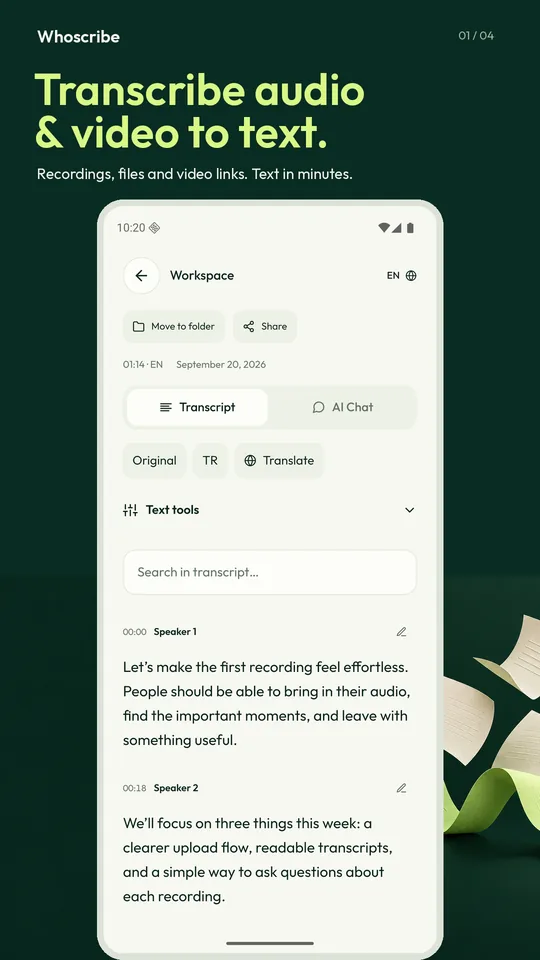
Record a meeting, import a voice note or paste a video link — the app turns it into a readable transcript with speaker labels and timestamps, then lets you search it, ask it questions, translate it and export it.
WhoScribe makes them easier to find, edit and share.
Transcribe a fileYou have used today's free guest transcriptions. Create an account or try again tomorrow.
Free $0
Already have an account? Log in
Your request is open
We sent a confirmation to your email. You will get our reply by email and can read it on the request page.
Open the request